
Scan a barcode or label
Point the camera at a barcode or the ingredients panel and get a quick read without typing everything out.
Zabihah
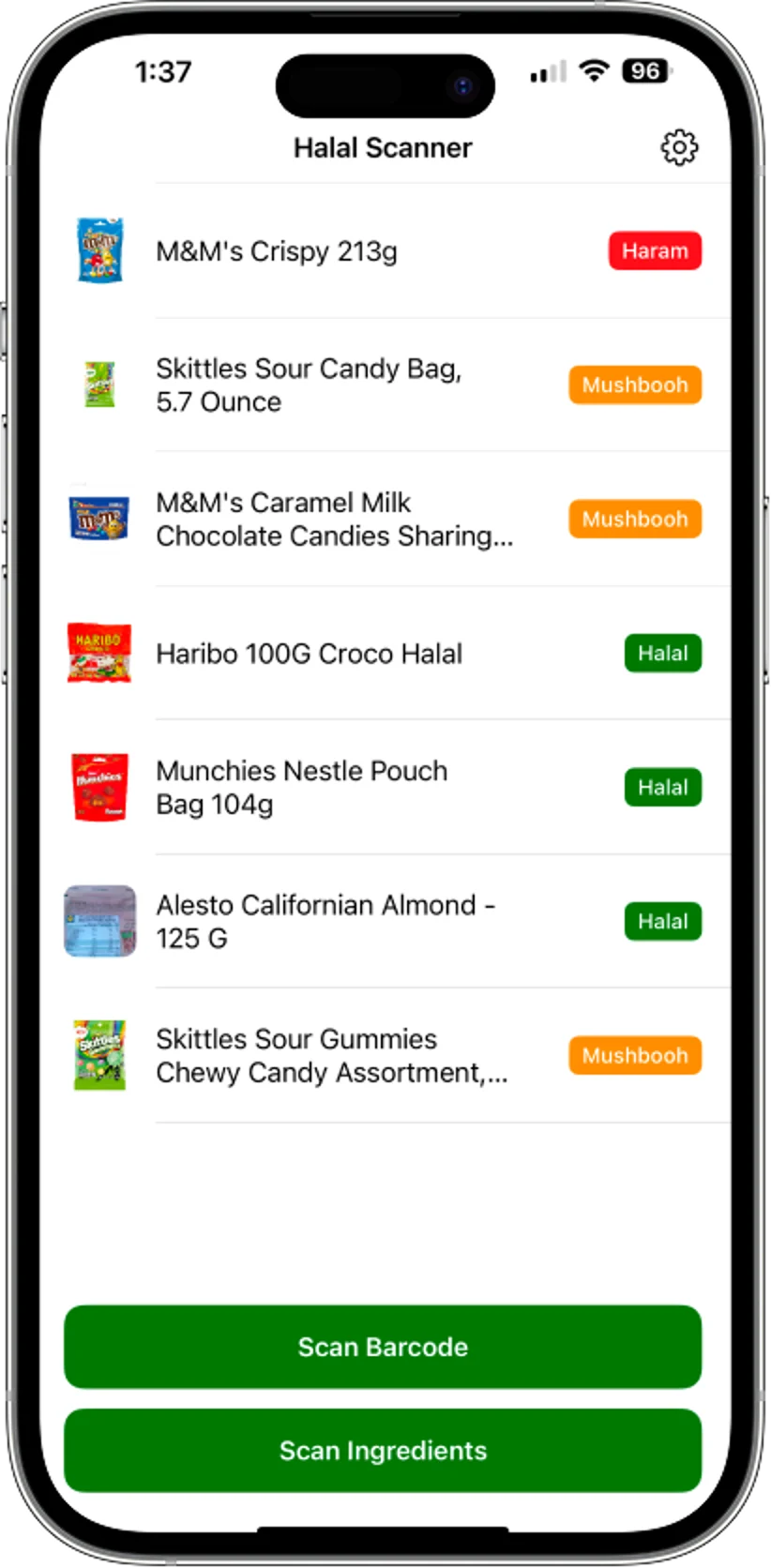
Point the camera at a barcode or ingredient label and get a fast, plain-English halal check that explains the ingredients behind the answer.
Free to download on iPhone.
How it works
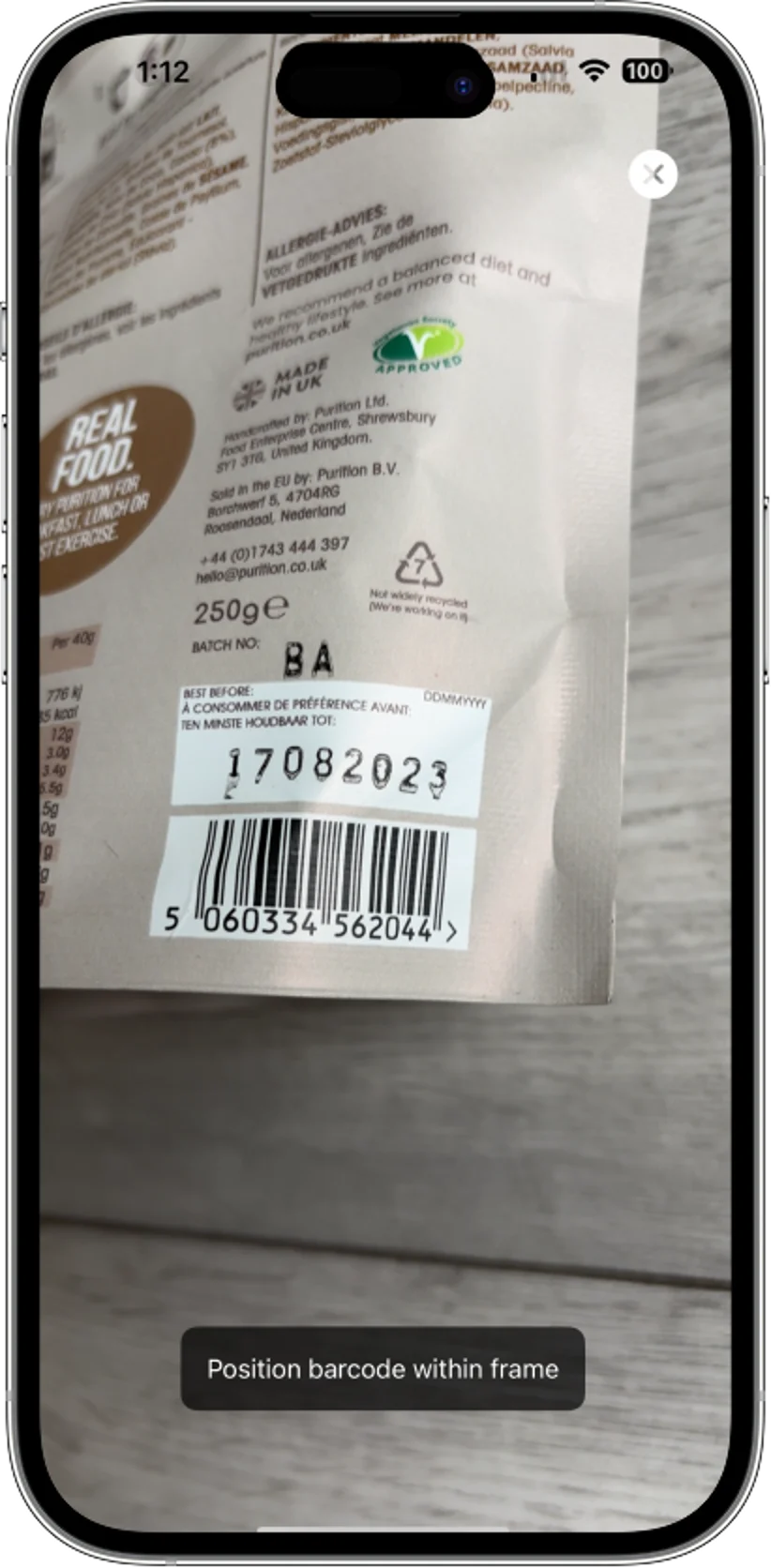
Scan the barcode, or snap the ingredient panel on the package you already have in hand.
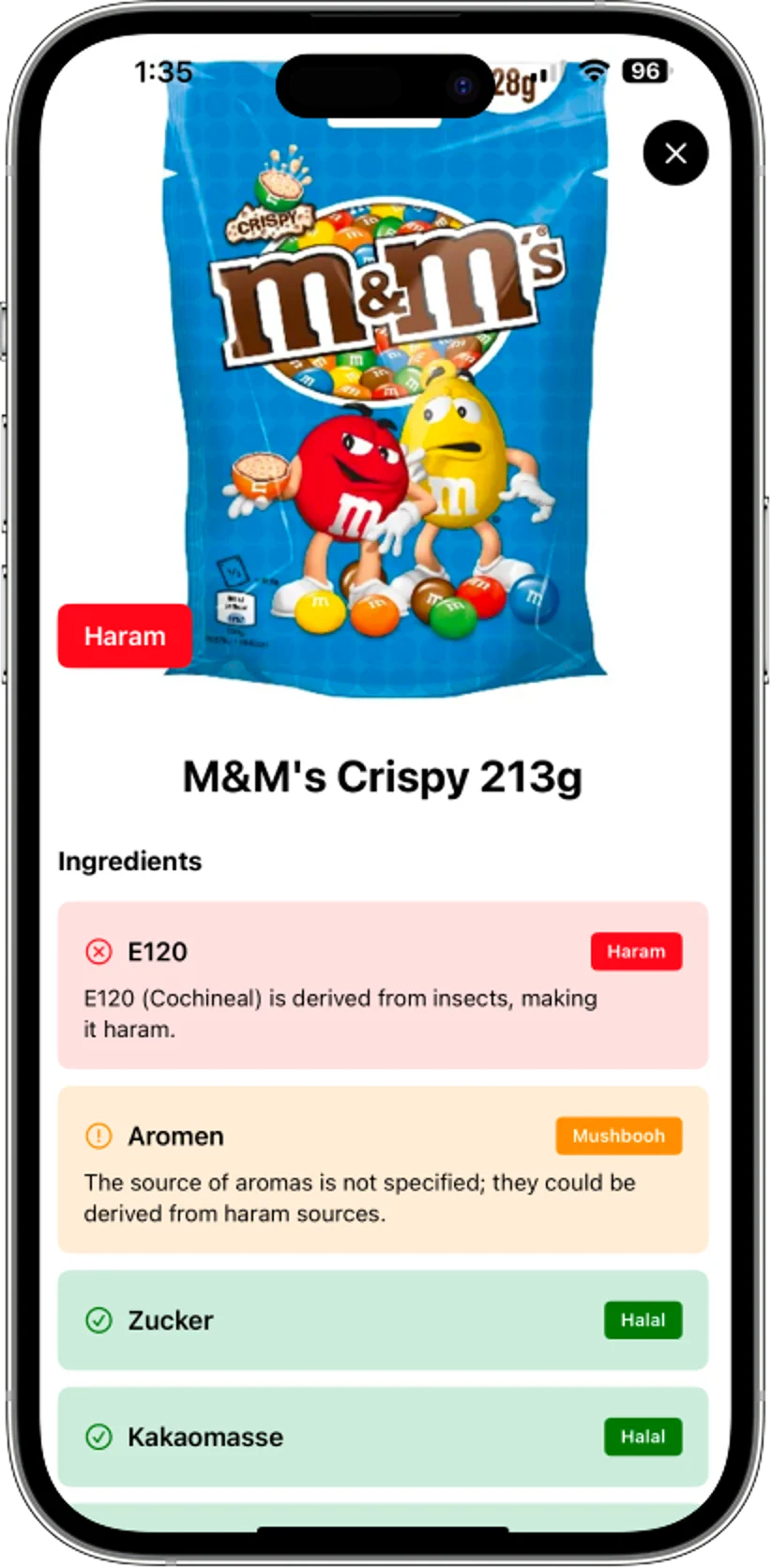
It works through the list and flags the ones that matter for halal shoppers — like E120, gelatin and unnamed flavourings — with a reason for each.
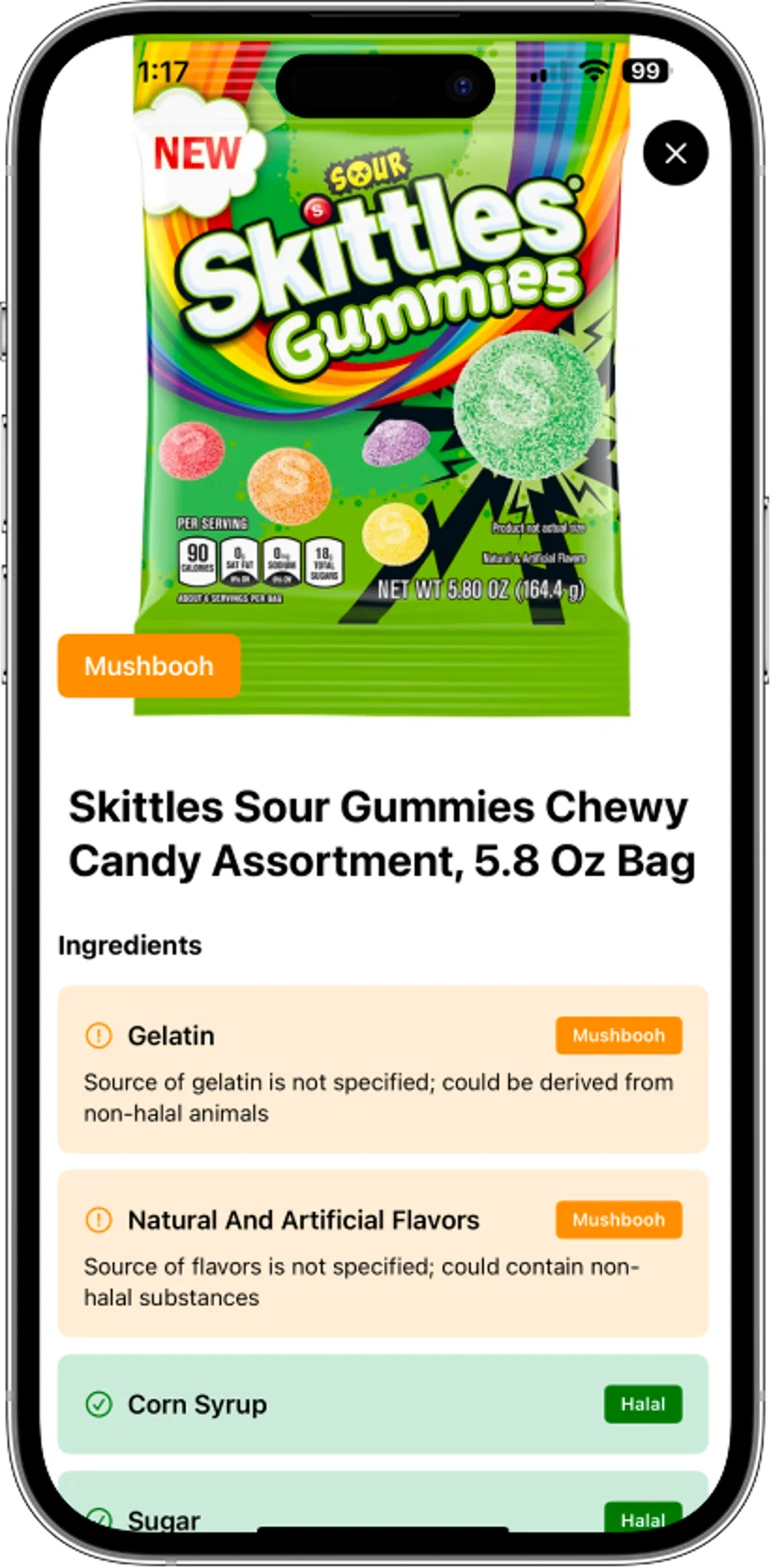
The answer lands as halal, haram or mushbooh — with a plain-English reason for anything doubtful, so you can decide before you buy.
What you get
Point, scan, and get a clear read on what's actually in the packet — so you can shop with confidence.
Point the camera at a barcode or the ingredients panel and get a quick read without typing everything out.
The app breaks the list down ingredient by ingredient so you can see what caused the verdict.
Clear outcomes, with mushbooh reserved for cases where the label is uncertain or scholars may differ.
If something looks questionable, the explanation tells you why instead of leaving you with a vague warning.
Signature
The page leans on the app's actual decision states so the first answer is easy to understand, and the edge cases stay visible instead of being hidden.
Nothing in the scan raises a halal concern — you're good to add it to the basket.
Something on the label is unclear or depends on the source — so you know to take a closer look before deciding.
An ingredient points to a non-halal source, and the app tells you exactly which one — so you can put it back.
Good to know
It reads the ingredient list and looks for known red flags, common halal-safe ingredients, and terms that need more context. When the label doesn't give enough certainty, it lands on mushbooh (doubtful) rather than guessing — and tells you what to check.
No. It is an AI-assisted guide for general guidance only. If a product matters to you, use the app as a first check and then verify against a trusted certifying authority or scholar.
Yes — you can scan a product's barcode or its ingredient panel. The AI analysis runs in the cloud, so it needs an internet connection to return a verdict.
Those are exactly the ingredients Zabihah watches most closely. Some E-numbers are halal, some are not, and some depend on the source — so it flags what it found and explains when to double-check the label or a certifier.
Free to download on iPhone. Premium unlocks unlimited scanning.
Scan your first product in seconds — the answer, and the reason behind it.